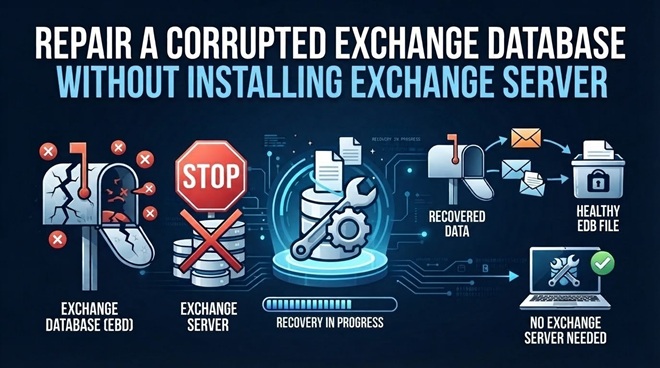



Imagine you have an Exchange Database (EDB) file containing important business emails, attachments, and mailbox folders. However, the database is corrupted, and the original Exchange Server is no longer available. You need to recover the mailbox data, but installing and configuring an entire Exchange Server environment just to access one database seems unnecessary.
This situation is common when organizations decommission old Exchange servers, migrate to Microsoft 365, or experience unexpected server failures. Fortunately, repairing an offline Exchange database does not always require an active Exchange Server installation.
There are different ways to approach this problem. Native Exchange utilities can help diagnose certain database issues, while specialized Exchange repair tools can scan database files and recover accessible mailbox data.
In this guide, we will explore why Exchange databases become corrupted, how to repair them without installing Exchange Server, and which recovery methods are suitable for different situations.
Why Does an Exchange Database Get Corrupted?
An Exchange database stores mailbox information, including emails, contacts, calendars, attachments, and other mailbox items. When something interrupts database operations or damages the underlying file, Exchange may fail to mount or access it.
Here are some common reasons behind EDB corruption.
1. Unexpected Exchange Server Shutdown
An unexpected server shutdown can interrupt database write operations. For example, a power failure or system crash may occur while Exchange is updating mailbox information.
This can leave the database in an inconsistent state. In some cases, the database may show a Dirty Shutdown status because the required transaction logs have not been completely replayed.
2. Hardware and Storage Failures
Exchange databases depend on reliable storage systems. Hard drive failures, bad sectors, storage controller problems, and file system errors can damage database pages.
If the affected pages contain important mailbox information, users may experience missing emails, inaccessible folders, or database mounting failures.
3. Transaction Log Problems
Exchange uses transaction logs to record database changes before they are committed to the database.
Problems can occur when:
- Required transaction log files are missing.
- Log files become damaged or corrupted.
- Transaction logs are deleted accidentally.
- The database and log sequence become inconsistent.
When Exchange cannot replay the required logs, the database may remain in a Dirty Shutdown state.
4. Malware and Software Issues
Malware infections, antivirus interference, failed updates, and unexpected software crashes can also affect Exchange database files.
For example, an antivirus application may interfere with database operations or quarantine files that Exchange requires. Similarly, an interrupted server update may leave Exchange services or database components in an unstable condition.
Can You Repair a Corrupted Exchange Database Without Installing Exchange Server?
Yes. You can repair certain types of Exchange database corruption without installing or running Microsoft Exchange Server.
The important thing is to understand the difference between repairing an offline EDB file and restoring a complete Exchange Server environment.
An offline EDB file is a database file that is no longer actively connected to an Exchange Server. It may come from an old server, a failed system, or a backup.
You can approach its recovery in several ways:
- Native utilities: ESEUTIL can examine database headers, check integrity, and perform certain repair operations.
- Online EDB repair services: Browser-based services can process supported EDB files without requiring a local Exchange Server installation.
- Desktop EDB repair software: Specialized applications can scan offline databases and recover accessible mailbox information.
The appropriate method depends on the type of corruption, database size, availability of transaction logs, and the amount of data you need to recover.
Methods to Repair an Exchange Database Without Exchange Server
Apart from specialized EDB repair applications, administrators can also consider native utilities and backup-based recovery methods.
These approaches are useful in specific situations, but each has its own limitations.
1. Use ESEUTIL to Check Database Integrity
ESEUTIL is a command-line utility associated with Exchange Server database maintenance.
One of its useful commands is:
eseutil /mh “C:\Database\Mailbox.edb”
This command displays database header information, including the current shutdown state.
Two important statuses are:
- Clean Shutdown: Indicates that the database has completed the required shutdown operations and does not have outstanding transaction logs that need replay.
- Dirty Shutdown: Indicates that the database has outstanding transaction log operations that may need to be replayed before it can be mounted.
This command is useful for understanding the database condition before attempting recovery.
However, checking the database header does not repair corruption. It only provides information that helps administrators decide what to do next.
2. Use ESEUTIL /P for Hard Repair
ESEUTIL also provides a hard repair option.
The command is:
eseutil /p “C:\Database\Mailbox.edb”
This operation attempts to repair database corruption by removing damaged database structures or pages.
However, there is an important risk.
Hard repair can result in permanent data loss because damaged database pages may be discarded during the process. As a result, some mailbox items may become unavailable.
Before using this method:
- Create a backup copy of the original EDB file.
- Check whether a healthy database backup is available.
- Understand the potential consequences of removing damaged pages.
- Avoid using hard repair as the first recovery option when other recovery methods are available.
3. Restore from an Exchange Database Backup
If you have a recent and healthy Exchange database backup, restoring it may be a practical option.
The general process involves:
- Identify the most recent healthy backup.
- Check the backup date and available transaction logs.
- Restore the database and required supporting files.
- Validate the restored database.
- Confirm that the required mailbox information is available.
One limitation is that a backup may not contain the latest mailbox changes.
For example, if the last successful backup was created three days before the database corruption, emails received during those three days may not be included unless the necessary transaction logs or other recovery data are available.
4. Use a Third-Party Exchange Database Repair Tool
Native Exchange utilities are useful for database diagnostics and specific repair operations. However, they may not be sufficient when the database is severely corrupted or important mailbox information needs to be extracted from an offline EDB file.
In such cases, dedicated EDB repair software can help scan the database and recover accessible mailbox information without requiring an operational Exchange Server.
The choice between an online repair service and desktop software depends on the database size, corruption level, and recovery requirements.
Repair a Corrupted Exchange Database Using Online Exchange Repair Tool
One approach is to use a browser-based Exchange database repair service. This can be useful when you have an offline EDB file but do not have access to the original Exchange Server.
For example, Stellar Online Exchange Repair provides an online workflow for uploading and repairing supported Exchange database files.
The general process involves the following steps.
Step 1: Open the Online Exchange Repair Service
Open the Stellar Online Exchange Repair webpage in your browser.
Since the service works online, you do not need to install Microsoft Exchange Server or configure an Exchange environment on your computer.
Before proceeding, check the service’s current file-size restrictions and supported database requirements.
Step 2: Upload the Corrupted EDB File
Locate the corrupted EDB file that you want to repair.
Select the file and upload it through the provided interface. Make sure you have a stable internet connection because uploading a large database can take time.
The online service advertises support for EDB files up to 5 GB. Therefore, check the file size before uploading.
It is also advisable to retain an untouched copy of the original database. This ensures that you have a backup if the repair process does not produce the expected results.
Step 3: Start the Repair Process
After uploading the database, initiate the repair process.
The service analyzes the uploaded EDB file and attempts to repair recoverable database corruption.
Depending on the condition and size of the database, processing time may vary. The service advertises a repair turnaround of approximately 15 minutes, although this should not be considered a guaranteed completion time for every database.
Avoid interrupting the process while the database is being processed.
Important: Repairing an EDB file does not automatically restore a functioning Exchange Server. If you need to make mailboxes available to users again, you may need an additional restoration or migration process.
What If the EDB File Is Too Large or the Online Repair Tool Cannot Process It?
Online repair services are convenient, but they may not be suitable for every recovery situation.
For example, consider an organization that has a 20 GB Exchange database containing hundreds of mailboxes. Uploading the entire file to an online service may not be practical because of file-size restrictions and network limitations.
Similarly, some severely corrupted databases may require a more extensive recovery process.
In these situations, desktop-based EDB repair software can be considered.
Stellar Online Exchange Repair vs. Stellar Repair for Exchange
Both approaches are intended to help recover information from Exchange database files without requiring the original Exchange Server installation. However, their workflows and intended use cases are different.
| Comparison | Stellar Online Exchange Repair | Stellar Repair for Exchange |
| Deployment | Browser-based | Desktop application |
| Installation | No software installation required | Software installation required |
| Exchange Server | Not required | Not required |
| EDB file size | Up to 5 GB | No online upload restriction |
| Processing | Online | Local desktop environment |
| Best suited for | Supported online repair scenarios | Large databases and advanced recovery |
| Recovery workflow | Upload, process, and download | Scan, preview, select, and export |
The choice depends on your requirements.
If you have a supported EDB file within the online service’s size limit and prefer a browser-based workflow, an online repair service may be sufficient.
On the other hand, if the database is large or you need more control over mailbox recovery and export, desktop software may be a more appropriate option.
Common Challenges When Repairing an Offline Exchange Database
Even when you do not need an Exchange Server installation, the recovery process may involve certain difficulties.
Here are some common problems and ways to approach them.
- EDB File Fails to Upload
An online repair service may reject an EDB file if it exceeds the supported upload limit.
Check the database size, internet connection, and browser compatibility. If the file is larger than the permitted limit, consider a desktop-based recovery approach.
- Database Is Severely Corrupted
A severely corrupted database may contain damaged pages or missing mailbox information.
In such cases, the recovery results may be incomplete. A different scanning or recovery approach may be necessary.
- Transaction Logs Are Missing
Missing transaction logs can prevent administrators from completing log replay operations.
If the database is in a Dirty Shutdown state, check whether the required logs are available before attempting recovery.
Avoid deleting or modifying existing transaction logs until you understand their role in the recovery process.
- Some Mailbox Items Are Missing
Sometimes a repair process recovers mailbox folders but does not recover every email or attachment.
This may happen because the source database contains damaged or unreadable pages.
Review the recovery results carefully and compare them with available backups or other copies of the mailbox data.
- Recovered Database Cannot Be Mounted
A successfully processed EDB file does not necessarily mean that it can be mounted directly on another Exchange Server.
Database compatibility, Exchange versions, transaction logs, and database consistency can all affect the mounting process.
Remember that extracting mailbox information and restoring a complete operational Exchange database are separate recovery objectives.
Conclusion
Repairing a corrupted Exchange database does not always require installing Microsoft Exchange Server. If you have an offline EDB file, you can explore native diagnostic utilities, backup restoration, online repair services, or desktop-based EDB recovery software.
The right approach depends on the database size, the extent of corruption, the availability of transaction logs, and the type of data you need to recover.
For supported databases within its upload limit, Stellar Online Exchange Repair offers a browser-based approach to EDB repair. When working with larger databases or requiring more advanced mailbox recovery and export options, Stellar Repair for Exchange provides a desktop-based alternative.
Regardless of the method you choose, preserve the original database, verify the recovered mailbox information, and maintain a backup before attempting further restoration.
Frequently Asked Questions
- Can I repair a corrupted Exchange EDB file without installing Exchange Server?
Yes. You can use specialized online or desktop-based EDB repair solutions to scan and recover data from supported offline Exchange database files. Native utilities can also help diagnose certain database problems without running the original Exchange Server.
- How do I recover mailbox data from an offline Exchange database?
You can use an EDB repair tool to scan the offline database, identify recoverable mailboxes, preview their contents, and save or export the available information. The recovery process depends on the database condition and the tool’s supported features.
- Can ESEUTIL repair a corrupted Exchange database without transaction logs?
ESEUTIL provides certain database repair operations that do not necessarily require the original transaction logs. However, operations such as hard repair can cause permanent data loss. If the database is in a Dirty Shutdown state, missing logs may prevent normal log replay and recovery.
- What is the maximum EDB file size supported by Stellar Online Exchange Repair?
Stellar Online Exchange Repair advertises support for EDB files up to 5 GB. Check the service’s current specifications before uploading your database, as supported limits and service capabilities may change.
- When should I use Stellar Repair for Exchange instead of an online Exchange repair tool?
Consider Stellar Repair for Exchange when you need to process larger EDB files, recover multiple mailboxes, or have more control over mailbox selection and export. An online repair service may be more convenient for supported database files that fall within its upload restrictions.